by
by WP Go Maps (formerly WP Google Maps) WordPress Plugin: A Comprehensive Overview
WP Go Maps, previously known as WP Google Maps, is a highly popular WordPress plugin that enables users to add customizable and interactive maps to their websites. With over a million active installations and a user-friendly interface, it is widely regarded as one of the best solutions for integrating maps into WordPress sites. Whether you’re a business owner, blogger, or developer, WP Go Maps offers extensive features that cater to a wide range of use cases, from simple contact maps to complex business directories.
This article provides a detailed look at WP Go Maps, including its features, benefits, use cases, installation process, and premium offerings.
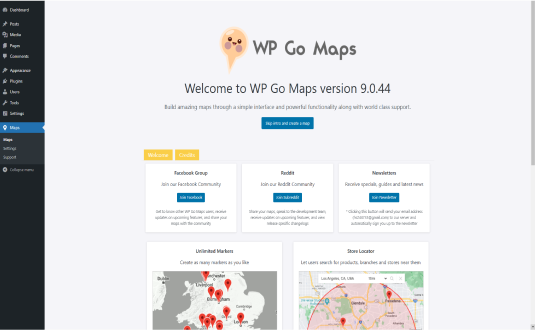
WP Go Maps (formerly WP Google Maps) WordPress Plugin: A Comprehensive Overview
WP Go Maps, previously known as WP Google Maps, is a highly popular WordPress plugin that enables users to add customizable and interactive maps to their websites. With over a million active installations and a user-friendly interface, it is widely regarded as one of the best solutions for integrating maps into WordPress sites. Whether you’re a business owner, blogger, or developer, WP Go Maps offers extensive features that cater to a wide range of use cases, from simple contact maps to complex business directories.
This article provides a detailed look at WP Go Maps, including its features, benefits, use cases, installation process, and premium offerings.
What is WP Go Maps?
WP Go Maps is a WordPress plugin designed to make map creation and integration simple and effective. It supports Google Maps and OpenStreetMap, giving users flexibility in choosing their preferred mapping platform. The plugin’s intuitive interface allows users to create maps with custom markers, routes, and features without requiring coding skills.
The plugin is suitable for websites that need to display:
- Store locations.
- Directions to venues or offices.
- Service coverage areas.
- Business directories.
- Event locations.
WP Go Maps offers both free and premium versions, with the free version covering basic functionality and the Pro version unlocking advanced features.
Key Features of WP Go Maps
- Customizable Maps
- Easily create maps with unlimited markers, shapes, and routes.
- Customize map dimensions, zoom levels, and map types (roadmap, satellite, terrain, or hybrid).
- Marker Support
- Add markers with custom icons, titles, descriptions, and links.
- Organize markers into categories for better navigation.
- Integration with Google Maps and OpenStreetMap
- Supports both platforms, offering flexibility for users with different needs or budgets.
- Responsive Design
- Ensures that maps are mobile-friendly and fit seamlessly on all devices.
- Interactive Features
- Enable users to interact with maps through clickable markers, infoboxes, and directions.
- Custom CSS and Styling Options
- Tailor maps to match your website’s branding by adjusting colors, fonts, and layouts.
- Advanced Map Types
- Supports heatmaps, polygons, polylines, and routes to display complex data visually.
- Geolocation and Directions
- Allow users to find their current location and get directions to desired points on the map.
- Multiple Map Widgets
- Display maps in posts, pages, or sidebars using shortcodes or widgets.
- Multilingual Support
- Compatible with popular translation plugins like WPML, making it suitable for international audiences.
Benefits of Using WP Go Maps
- Ease of Use
- Designed for both beginners and professionals, WP Go Maps has an intuitive interface that eliminates the need for coding or technical expertise.
- Time-Saving
- Quickly create and embed maps with minimal effort using pre-built templates and drag-and-drop functionality.
- Enhanced User Experience
- Interactive maps improve site usability by allowing visitors to easily find locations, directions, or relevant data.
- SEO Boost
- Maps embedded with location data can enhance local SEO, helping businesses rank higher in local search results.
- Scalability
- Suitable for small websites with a single map or larger platforms requiring multiple, feature-rich maps.
Use Cases for WP Go Maps
- Business Locator Maps
- Ideal for retail stores, restaurants, or service providers looking to showcase multiple locations.
- Travel and Tourism Websites
- Display tourist attractions, hotels, or travel routes with detailed markers.
- Real Estate Portals
- Showcase properties for sale or rent on an interactive map, complete with photos and descriptions.
- Event Mapping
- Pinpoint event locations, parking areas, and other important venues for attendees.
- Community or Membership Directories
- Create member directories by plotting locations on a shared map.
- Logistics and Delivery Services
- Use maps to define service areas or delivery routes.
Getting Started with WP Go Maps
Setting up WP Go Maps on your WordPress site is quick and straightforward:
- Install and Activate the Plugin
- Go to the WordPress dashboard, navigate to Plugins > Add New, search for “WP Go Maps,” and click Install Now. Once installed, activate the plugin.
- Create a Map
- Navigate to Maps > Add New Map in your WordPress admin panel.
- Name your map, set dimensions, and choose your map type (e.g., roadmap, satellite).
- Add Markers
- Click Add Marker to create location points. Enter details such as title, description, and coordinates. You can also upload custom marker icons.
- Customize the Map
- Adjust zoom levels, map themes, and display settings to match your website design.
- Embed the Map
- Copy the shortcode generated for your map and paste it into a post, page, or widget area.
- Test and Publish
- Preview your map to ensure it appears and functions as intended. Publish your changes to make the map live.
Premium Features with WP Go Maps Pro
The Pro version of WP Go Maps offers a host of advanced features, including:
- Unlimited Maps and Markers
- Add as many maps and markers as needed for larger projects.
- Marker Categories
- Group markers into categories and allow users to filter them on the front end.
- Advanced Marker Features
- Include custom fields, clickable links, and detailed infoboxes for markers.
- Polygons and Polylines
- Highlight specific areas or draw routes directly on the map.
- Visitor-Generated Markers
- Allow users to add their own markers to the map via a front-end submission form.
- Map Layers and Overlays
- Add traffic, weather, or transit layers for enhanced functionality.
- Analytics and Reporting
- Track user interactions with maps, such as clicks on markers or direction requests.
- Priority Support
- Access dedicated customer support for troubleshooting and customization needs.
Tips for Optimizing WP Go Maps
- Optimize for Speed
- Use the caching options within the plugin to ensure maps load quickly.
- Leverage Marker Categories
- Organize markers logically to help users filter and find information easily.
- Integrate with Other Plugins
- Combine WP Go Maps with plugins like WooCommerce or WPForms for enhanced functionality.
- Customize for Branding
- Use the custom styling options to align maps with your website’s visual identity.
- Keep Maps Updated
- Regularly update markers and map content to ensure accuracy and relevance.
Conclusion
WP Go Maps is an essential tool for anyone looking to add interactive and customizable maps to their WordPress website. Its ease of use, robust feature set, and flexibility make it suitable for a wide range of applications, from business locators to travel maps. With the free version offering essential functionality and the Pro version unlocking advanced capabilities, WP Go Maps provides a scalable solution for users at all levels. Whether you’re creating a single map or a complex directory, WP Go Maps is a reliable choice for delivering professional and engaging maps to your audience.