 by
by Overview
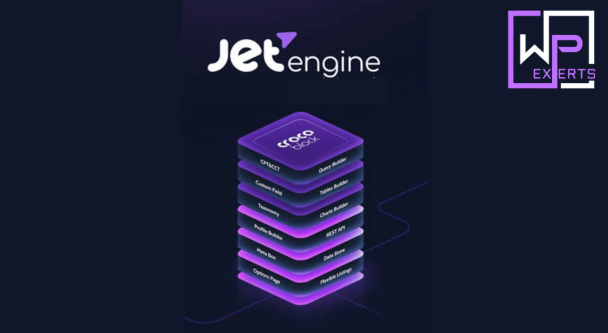
JetEngine is a dynamic content plugin developed by Crocoblock. It’s part of the larger JetPlugins ecosystem and is designed to help users build data-driven, dynamic websites without writing complex backend code.
Unlike typical page builders that focus on design, JetEngine focuses on:
- Custom data structures
- Dynamic content rendering
- Complex relationships between data
In short, it turns WordPress from a blog CMS into something closer to a database-powered application.
Key Features
1. Custom Post Types (CPT) & Custom Content Types (CCT)
JetEngine allows you to create:
- Custom Post Types (like listings, products, properties)
- Custom Content Types stored in separate database tables
CCTs are particularly powerful because they improve performance for large datasets by storing data efficiently.
This is essential for:
- Real estate websites
- Directories
- Job portals
- Booking platforms
2. Dynamic Listings & Templates
The plugin introduces Listing Templates, which let you:
- Design one layout
- Apply it across multiple items dynamically
You can display content in:
- Grids
- Carousels
- Masonry layouts
And everything updates automatically when data changes.
3. Dynamic Tags & Data Output
JetEngine’s dynamic tags allow you to:
- Pull data from custom fields
- Display user data, taxonomy terms, or meta values
- Output calculated values (like totals or averages)
This is where the plugin becomes genuinely powerful, because your content is no longer static.
4. Query Builder (Core Power Feature)
The Query Builder lets you:
- Fetch data from posts, users, or custom tables
- Apply filters and conditions
- Create complex queries visually
Instead of writing SQL, you configure queries through UI.
Still requires logic thinking, though. No escape from that.
5. Relationships Between Data
JetEngine supports:
- One-to-one
- One-to-many
- Many-to-many relationships
For example:
- Authors → Books
- Products → Categories
- Users → Bookings
You can connect and display related data dynamically.
6. Forms & User Interaction
With JetEngine (and related plugins):
- Users can submit data from frontend
- Create listings, profiles, or posts
- Build user dashboards
This allows you to build platforms like:
- Marketplaces
- Membership sites
- User-generated content systems
7. Dynamic Visibility Conditions
You can show or hide elements based on:
- User roles
- Logged-in status
- Field values
- Device type
This helps create personalized experiences.
8. REST API Integration
JetEngine allows:
- Creating custom API endpoints
- Fetching external data
- Integrating third-party services
This pushes it into “developer tool” territory rather than just a plugin.
What’s Extra in JetEngine Pro
Here’s the thing: JetEngine itself is already a premium plugin, so “Pro” usually means:
1. Full Feature Access
- Query Builder
- Relations module
- Profile Builder
- Data Stores (favorites, bookmarks)
- Dynamic Tables & Charts
No artificial limitations like free versions.
2. AI Website Structure Builder
This newer feature:
- Generates CPTs, taxonomies, and fields
- Builds initial site structure automatically
Basically tries to reduce setup time, because manually configuring everything can feel like building a database from scratch.
3. Advanced Modules
Pro version includes modules like:
- Profile Builder (user dashboards)
- Data Stores (wishlists, favorites)
- Calendar & Events listings
- Charts & analytics visualization
4. Integration with Other JetPlugins
JetEngine becomes significantly more powerful when combined with:
- JetSmartFilters (advanced filtering)
- JetFormBuilder (forms)
- JetBooking (booking systems)
Which, conveniently, are all part of the Crocoblock ecosystem.
Pricing
JetEngine pricing depends on how you buy it.
Individual Plugin Pricing:
- Around $75/year for 1 site
- ~$88/year for unlimited sites (varies by source)
Crocoblock Bundle Pricing:
- Starts around $199/year (all plugins)
- Unlimited site plans available
- Lifetime deals sometimes offered
This bundle includes 20+ plugins and 200+ widgets, making it more of a toolkit than a single plugin.
Benefits for Developers
This is where JetEngine shines. Not in simplicity, but in capability.
1. Replace Custom Development
You can build:
- Custom databases
- Dynamic frontends
- Complex filtering systems
Without writing backend code.
2. Full Data Control
- Structured data modeling
- Relationships between entities
- Custom queries
This is something most page builders completely lack.
3. Scalable Architecture
Using CCTs and optimized queries:
- Better performance for large datasets
- Reduced server load
Important for serious applications, not just blogs.
4. Faster Development Workflow
- Reusable templates
- Visual query builder
- Prebuilt modules
You can ship projects faster than coding everything manually.
5. Multi-Builder Compatibility
Works with:
- Elementor
- Gutenberg
- Bricks
So you’re not locked into one ecosystem.
Pros
✔ Extremely Powerful Dynamic Features
Handles complex data structures and relationships effortlessly.
✔ Reduces Need for Custom Coding
Replaces many backend tasks with UI-based configuration.
✔ Scalable for Large Projects
Optimized data handling makes it suitable for big websites.
✔ Part of a Complete Ecosystem
Works seamlessly with other Crocoblock plugins.
✔ Flexible for Developers
Supports REST API, custom queries, and integrations.
Cons
✖ Steep Learning Curve
This is not beginner-friendly. Expect confusion at first.
✖ Overkill for Simple Sites
If you’re building a blog, this is unnecessary complexity.
✖ Requires Multiple Plugins for Full Power
Best results come when using full Crocoblock suite.
✖ UI Can Feel Technical
Not as polished or intuitive as simpler page builders.
Final Verdict
JetEngine Pro is not just a plugin, it’s a development toolkit disguised as a WordPress addon.
Best For:
- Developers building complex web applications
- Agencies creating dynamic client projects
- Advanced users needing full data control
Not Ideal For:
- Beginners
- Simple websites
- Users who just want visual design tools
Overall Rating: 9/10
JetEngine is ridiculously powerful. It gives you control over WordPress that normally requires custom development.
But that power comes at a cost: complexity, time investment, and the occasional moment where you question why you didn’t just build a static site and go outside.
Still, if you actually know what you’re doing or want to learn, this plugin can turn WordPress into something far more capable than it was ever meant to be. Which is either im