 by
by In the fast-paced digital landscape, capturing user attention and encouraging action is essential. Whether it’s for a product launch, limited-time offer, upcoming event, or a website maintenance notice, countdown timers can significantly enhance urgency and engagement. One of the most user-friendly and feature-rich WordPress plugins in this category is Countdown Timer Ultimate.
[modal_image thumbnail=”/wp-content/uploads/2025/06/Countdown-Timer-Ultimate-inner.png” large=”/wp-content/uploads/2025/06/Countdown-Timer-Ultimate-inner-slider.png”]
1. Introduction to Countdown Timer Ultimate
Countdown Timer Ultimate is a free and easy-to-use WordPress plugin developed by WP OnlineSupport, a team known for building intuitive, high-performance plugins. It enables site owners to display attractive and responsive countdown timers anywhere on their WordPress site using shortcodes. With both free and premium versions, the plugin is flexible enough to cater to basic and advanced needs alike.
This plugin is perfect for:
- Promoting upcoming product launches
- Running limited-time sales
- Highlighting deadlines for campaigns or events
- Driving conversions through urgency marketing
- Displaying countdowns for webinars, conferences, and more
2. Key Features of Countdown Timer Ultimate
a. Ease of Use
One of the biggest advantages of this plugin is its simplicity. Once installed, users can access the plugin from the WordPress dashboard, configure timers quickly, and embed them using shortcodes. Even those with minimal technical knowledge can set up a countdown in a matter of minutes.
b. Beautiful Circular Timers
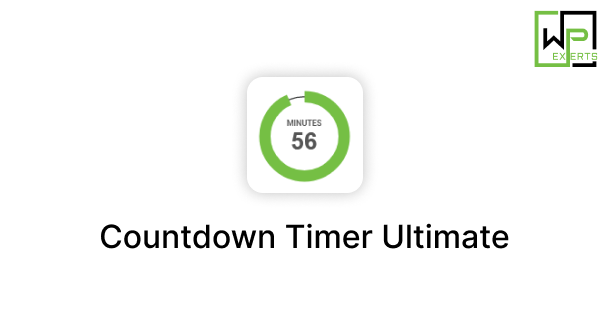
The plugin’s default design includes eye-catching circular countdown timers, which are not only functional but also aesthetically pleasing. The visual appeal can help grab user attention instantly, especially when strategically placed in prominent locations on your website.
c. Fully Responsive Design
Modern websites must be mobile-friendly. Countdown Timer Ultimate ensures all timers are fully responsive, adapting to any screen size, be it a desktop, tablet, or smartphone. This ensures consistency and usability across all devices.
d. Customization Options
Customization is where Countdown Timer Ultimate shines. Users can change:
- Timer background colors
- Timer width and size
- Font sizes and styles
- Circle thickness and radius
- Expiration behaviors (such as hiding the timer or showing custom text)
These options help ensure that the countdown timer matches the look and feel of the site’s branding.
e. Multiple Timer Support
Website owners can create and display multiple countdown timers on different pages or sections of their website. Each timer has a unique shortcode and settings, giving complete flexibility for managing multiple campaigns or events at once.
f. Shortcode Integration
Using simple shortcodes, you can insert timers into:
- Pages
- Posts
- Widgets
- Sidebars
- Custom post types
This flexibility allows for creative placement without requiring any coding.
3. How to Use Countdown Timer Ultimate
a. Installation Process
- Go to your WordPress dashboard.
- Navigate to Plugins > Add New.
- Search for Countdown Timer Ultimate.
- Click Install Now and then Activate.
Once activated, a new menu item named “Countdown Timer” appears in the admin panel.
b. Creating a New Timer
- Click on Countdown Timer > Add Timer.
- Set the timer title.
- Choose the expiration date and time.
- Customize visual aspects like timer size, colors, and labels.
- Save the timer.
- Copy the generated shortcode.
- Paste it wherever you want the timer to appear.
It’s that simple!
4. Use Cases and Applications
a. eCommerce Promotions
By adding countdown timers to your WooCommerce or other online store product pages, you can trigger FOMO (Fear of Missing Out). Timers for flash sales or limited-time discounts often result in higher conversion rates.
b. Event Pages
If you’re hosting webinars, conferences, or live events, a countdown timer builds anticipation and ensures that visitors are aware of the exact start time.
c. Product Launches
Create a buzz around new product or feature launches with a countdown timer prominently displayed on your homepage or landing page.
d. Website Maintenance or Coming Soon Pages
Use the plugin to let visitors know when your site will go live again or when they can expect new content.
e. Lead Generation
Combine countdown timers with email sign-up forms to increase urgency and encourage more users to subscribe before a certain date.
5. Premium Features (Pro Version)
For users who need additional functionality, the Countdown Timer Ultimate Pro version includes:
- Sticky Countdown Timers: Display a persistent timer on screen even when scrolling.
- Timer Expiry Actions: Redirect users to another page or show a custom message once the countdown ends.
- Schedule Recurring Countdowns: Perfect for daily deals or recurring events.
- Animation Effects: Bring your timers to life with cool animations.
- Advanced Styling Options: Further refine how your timer looks and behaves.
- Support for Gutenberg and Page Builders: Seamless integration with Elementor, WPBakery, and more.
These premium options are ideal for marketers, developers, and business owners who require more control and visual impact.
6. Performance and SEO Impact
Countdown Timer Ultimate is built with performance in mind. The plugin does not slow down your site and follows WordPress best practices. It also outputs clean HTML and CSS, ensuring timers are lightweight and SEO-friendly. Since timers are often embedded within static content via shortcodes, they don’t negatively affect page loading speed.
7. Support and Documentation
The plugin is backed by a helpful support team and detailed documentation. Users can refer to FAQs, video tutorials, and setup guides available on the developer’s website. For those with the Pro version, priority support is available via ticketing systems.
8. User Reviews and Community Reception
Countdown Timer Ultimate is highly rated on the WordPress Plugin Repository with thousands of active installations. Users appreciate the plugin’s simplicity, customization, and reliability. Some of the most praised features include:
- Professional circular design
- Easy-to-understand admin interface
- Excellent support (even for free users)
- Compatibility with major themes and plugins
9. Comparison with Other Timer Plugins
There are several other timer plugins like HurryTimer, Evergreen Countdown Timer, and Countdown Builder. However, Countdown Timer Ultimate stands out for its combination of:
- Clean, modern visuals
- Simplicity of use
- Lightweight performance
- Free features that meet most users’ needs
Unlike some competitors that are heavily gated behind paywalls, Countdown Timer Ultimate offers meaningful features in its free version.
10. Pros and Cons
✅ Pros:
- Easy setup and management
- Visually appealing design
- Responsive and mobile-friendly
- Multiple timer support
- Extensive customization
- Lightweight and SEO-friendly
- Free version is feature-rich
❌ Cons:
- Only circular timers in the free version (no digital or bar timers)
- Limited advanced functionality without Pro
- No analytics or tracking out-of-the-box
11. Conclusion
Countdown Timer Ultimate is an excellent WordPress plugin for anyone looking to implement countdown functionality on their site quickly and efficiently. Whether you’re a blogger, online retailer, event organizer, or digital marketer, the plugin provides a high-impact visual element that can drive urgency, conversions, and engagement.
Its balance of simplicity, customization, and performance makes it a great starting point for beginners, while the Pro version offers more advanced features for power users.
If you’re serious about boosting conversions or engagement through time-sensitive campaigns, Countdown Timer Ultimate is definitely a plugin worth exploring.