 by
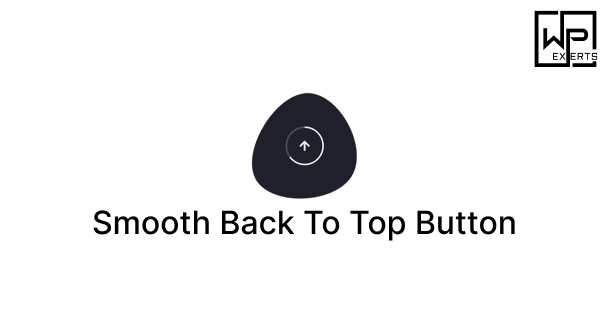
by In the world of web design and user experience, even the smallest elements of a website can play a crucial role in improving usability and navigation. One such small yet powerful feature is the “Back To Top” button—a handy tool that allows visitors to scroll back to the top of a page quickly without endless manual scrolling. The Smooth Back To Top Button WordPress plugin brings this feature to WordPress sites with elegance, simplicity, and customization options that ensure both functionality and aesthetics align perfectly with a website’s design.
This article will provide a comprehensive overview of the Smooth Back To Top Button plugin, including its features, benefits, use cases, installation, customization options, and why it is a must-have plugin for WordPress websites.
[modal_image thumbnail=”/wp-content/uploads/2025/08/Smooth-Back-To-Top-Button-inner.png” large=”/wp-content/uploads/2025/08/Smooth-Back-To-Top-Button-inner-slider.png”]
What is the Smooth Back To Top Button Plugin?
The Smooth Back To Top Button is a lightweight and user-friendly WordPress plugin designed to add a smooth-scrolling “Back To Top” button to your website. This button usually appears when users scroll down a page, providing a quick way to return to the top without having to scroll manually. Unlike some basic implementations, this plugin focuses on smooth animations, customization, and ensuring compatibility across themes and devices.
In essence, it enhances user experience, improves navigation, and adds a professional touch to your website design.
Why Do Websites Need a Back To Top Button?
Before diving into features, it’s worth understanding why a “Back To Top” button is important:
- Improved User Experience (UX): Visitors don’t need to keep scrolling to get back to the header or menu; one click takes them there instantly.
- Convenience for Long Pages: Blogs, eCommerce stores, and documentation websites often have long pages. This feature reduces user fatigue.
- Mobile Friendliness: On mobile devices, scrolling back up manually can be tiresome; a simple button provides a more seamless experience.
- Accessibility: Not all users are comfortable with touchpad or mouse scrolling. This button provides accessibility for varied users.
- Modern Website Trend: Many professional websites use smooth back-to-top functionality, and visitors subconsciously expect it.
The Smooth Back To Top Button plugin checks all these boxes while adding custom design flexibility.
Key Features of the Smooth Back To Top Button Plugin
Here are the standout features that make this plugin valuable:
1. Smooth Scrolling Animation
Unlike abrupt jumps, the plugin ensures a smooth, fluid animation that feels natural and elegant.
2. Customizable Button Design
- Change button shape (square, circle, rounded).
- Adjust size, padding, and margins.
- Customize background and hover colors.
- Add icons (commonly an upward arrow).
3. Positioning Options
You can choose where to display the button:
- Bottom-right (default)
- Bottom-left
- Adjust offsets from screen edges
4. Visibility Controls
- Show only after scrolling a certain number of pixels.
- Show/hide on desktop, tablet, or mobile.
- Control button fade-in and fade-out animations.
5. Lightweight and Fast
The plugin is coded to be lightweight, ensuring it doesn’t slow down your site. Performance is a priority.
6. Cross-Browser and Theme Compatible
Works across all modern browsers (Chrome, Firefox, Safari, Edge) and integrates smoothly with most WordPress themes.
7. No Coding Required
Everything can be configured through the WordPress admin dashboard, making it beginner-friendly.
8. Accessibility Friendly
Aria-labels and keyboard navigation compatibility ensure the button works for all users.
Benefits of Using the Plugin
- Better navigation: Visitors can quickly reach the top menu or header.
- Higher engagement: Reduced frustration leads to longer time on site.
- Mobile optimization: Touch-friendly design boosts mobile user satisfaction.
- Custom branding: Ability to style the button ensures it matches your site design.
- Professional look: Smooth animations add polish and professionalism.
- SEO indirectly: Happier users = lower bounce rates, indirectly benefiting SEO.
Use Cases for Smooth Back To Top Button Plugin
- Blog Websites
For long blog posts, this feature makes it easier for readers to scroll back up. - eCommerce Stores
On product category pages with hundreds of items, customers can quickly return to the top navigation. - Corporate Websites
Professional sites can use branded back-to-top buttons for a sleek, user-friendly experience. - Educational or Documentation Sites
Lengthy articles, guides, or documentation become more accessible. - News Portals
With endless scrolling news feeds, this feature helps users return to the main navigation.
How to Install the Plugin
Installing the Smooth Back To Top Button plugin is straightforward:
- Log in to your WordPress Dashboard.
- Navigate to Plugins → Add New.
- Search for “Smooth Back To Top Button”.
- Click Install Now and then Activate.
- Once activated, you’ll find settings under Appearance → Customize or directly in the plugin settings page.
Customization Options
The plugin provides multiple settings to adjust the button to your needs:
- Scroll Offset: Decide how far users must scroll before the button appears.
- Button Size: Small, medium, or large.
- Button Color: Match your theme’s color scheme.
- Icon Style: Choose from font-awesome icons or upload a custom icon.
- Positioning: Left or right side with margin adjustments.
- Animations: Fade, slide, or instant appearance.
This ensures the back-to-top button doesn’t just work but also looks visually appealing on your site.
Best Practices for Using Back To Top Buttons
- Keep it Minimal: Avoid oversized buttons that distract from content.
- Match Branding: Use colors consistent with your theme.
- Don’t Overcrowd Mobile Screens: Keep the button small on mobile.
- Smooth Animation: Avoid abrupt scrolling; always use smooth transitions.
- Test Across Devices: Ensure proper functionality on desktops, tablets, and smartphones.
Alternatives to Smooth Back To Top Button
While the plugin is excellent, some alternatives exist:
- WPFront Scroll Top
- To Top Plugin
- Simple Scroll To Top Button
However, Smooth Back To Top Button stands out for its lightweight design, smooth animation, and customization flexibility.
Why Choose Smooth Back To Top Button Plugin?
The answer lies in its balance of simplicity and power. Many plugins overload features, but this one focuses on doing one thing—providing a smooth back-to-top experience—exceptionally well. It’s easy to install, fast, customizable, and improves usability instantly without requiring technical knowledge.
Final Thoughts
The Smooth Back To Top Button WordPress plugin may seem like a small addition to a website, but its impact on usability and user satisfaction is significant. Whether you run a blog, online store, corporate website, or content-heavy portal, this plugin ensures that your visitors can navigate with ease. Its smooth animations, customization options, and lightweight design make it an excellent choice for WordPress site owners who want to enhance navigation while maintaining a modern, professional design.
By installing this plugin, you’re not just adding a button—you’re investing in better user experience, higher engagement, and improved accessibility. Sometimes, the smallest details make the biggest difference, and the Smooth Back To Top Button is a perfect example of that.