 by
by Overview
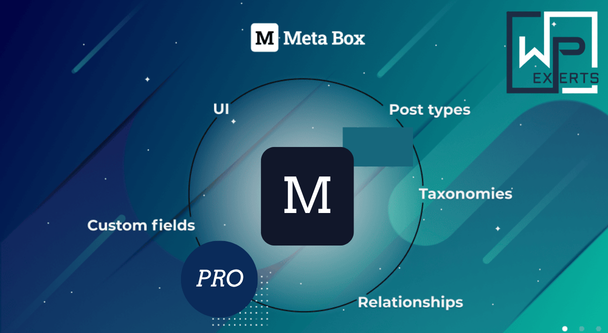
Meta Box is a developer-focused custom fields framework for WordPress. It allows you to create, manage, and display custom data across posts, pages, custom post types, taxonomies, users, and more.
At its core, Meta Box is:
- A custom fields engine
- A data modeling tool
- A framework for dynamic WordPress sites
Unlike beginner tools, it assumes you’re either comfortable with code or willing to learn. And honestly, that’s part of its charm.
Key Features
1. Powerful Custom Field System
Meta Box supports 40+ field types, including:
- Text, textarea, WYSIWYG editor
- Image, file, gallery
- Select, checkbox, radio
- Date/time pickers
- Taxonomy and user fields
You can even create custom field types, which is where things get serious.
2. Works Across All WordPress Data Types
You’re not limited to posts.
Meta Box works with:
- Posts & pages
- Custom post types
- Taxonomies
- User profiles
- Settings pages
- Comments
Basically, if WordPress stores it, Meta Box can extend it.
3. Lightweight & Performance-Focused
Unlike bloated plugins that load everything “just in case,” Meta Box:
- Loads only required modules
- Uses native WordPress metadata storage
- Maintains fast performance
This matters when you’re building large or high-traffic sites.
4. Developer-Friendly API
Meta Box provides a clean, flexible API:
- Define fields using PHP
- Extend functionality easily
- Integrate with themes/plugins
It doesn’t fight you. It stays out of your way, which is rare in WordPress.
5. Modular Architecture
Instead of one giant plugin, Meta Box uses:
- Core plugin (free)
- Optional extensions (premium)
You only install what you need, avoiding unnecessary bloat.
What’s Extra in Meta Box Pro
Here’s where the “Pro” part actually earns its money.
Meta Box Premium is essentially a bundle of extensions that unlock advanced functionality.
1. Advanced Data Handling Extensions
- MB Custom Table
Store data in custom tables instead of wp_postmeta for better performance - MB Relationships
Create connections between posts, users, or terms - MB Group
Build repeatable field groups
These features turn WordPress into something closer to a structured database system.
2. Frontend & User Interaction
- MB Frontend Submission
Let users submit content from the frontend - MB User Meta & MB Term Meta
Extend user profiles and taxonomies - MB Geolocation
Add location data automatically
Now your site isn’t just static, it becomes interactive.
3. UI & Workflow Enhancements
- MB Admin Columns
Display custom fields in admin tables - MB Tabs & MB Columns
Organize fields visually - MB Conditional Logic
Show/hide fields based on conditions
This saves time and makes complex forms manageable.
4. Gutenberg & Modern WordPress Support
- MB Blocks
Create custom Gutenberg blocks using PHP - MB REST API
Expose custom field data to APIs
This is where Meta Box quietly becomes future-proof.
5. Builder & No-Code Options
For people who fear code:
- MB Builder (UI-based field creation)
- Export to PHP for production
So yes, even non-developers get a lifeline.
Pricing
Meta Box Pro pricing is… surprisingly reasonable for what it offers.
Main Plans:
- Basic Bundle – ~$149/year
- 12 Pro extensions
- Unlimited sites
- Ultimate Bundle – ~$229/year
- All extensions
- Future updates included
- Lifetime Bundle – ~$699 one-time
- Lifetime updates & support
- All features included
Additional Notes:
- Individual extensions: ~$19–$29 each
- Unlimited site usage in many plans
- Strong value for agencies
Compared to competitors, it’s actually cost-efficient if you’re building multiple projects.
Benefits for Developers
This is where Meta Box stops being “just a plugin” and becomes a serious tool.
1. Full Control Over Data
- Define your own data structures
- Build custom content models
- Avoid WordPress limitations
You’re not stuck with default post/page logic anymore.
2. Clean, Maintainable Code
- PHP-based configuration
- Easy to version control
- No messy UI-generated code
This is a big deal for long-term projects.
3. Performance Optimization
- Custom tables reduce database load
- Lightweight architecture
- Scalable for large datasets
Perfect for enterprise or data-heavy sites.
4. Integration Flexibility
Meta Box integrates with:
- Page builders (Elementor, Divi, etc.)
- SEO plugins
- REST API
It plays well with others, which is rare in plugin land.
5. Reusability & Portability
- Export configurations
- Reuse across projects
- Build reusable systems
Developers love this because it saves time and effort.
6. Composer Support
Yes, actual Composer support.
Which means:
- Better dependency management
- Cleaner project structure
This alone makes it more “developer-grade” than most WordPress plugins.
Pros
✔ Extremely Developer-Friendly
Clean API, flexible structure, and full control.
✔ Lightweight & Fast
No unnecessary bloat, optimized performance.
✔ Modular System
Install only what you need.
✔ Powerful Data Modeling
Handles complex relationships and structures.
✔ Scalable for Large Projects
Works well for enterprise-level builds.
Cons
✖ Steep Learning Curve
Not beginner-friendly at all.
✖ Limited Visual Interface
Compared to tools like ACF or JetEngine.
✖ Requires Coding Knowledge
To unlock full potential.
✖ Fragmented Features
Extensions system can feel scattered initially.
Who Should Use Meta Box Pro?
Best For:
- Backend developers
- Agencies building custom WordPress solutions
- Advanced users creating dynamic websites
- Projects requiring structured data
Not Ideal For:
- Beginners
- No-code users
- Simple blog websites
Final Verdict
Meta Box Pro is not trying to be “user-friendly.” It’s trying to be powerful, flexible, and efficient, and it succeeds.
Strengths:
- Deep customization capabilities
- Developer-first architecture
- High performance and scalability
- Modular, flexible system
Weaknesses:
- Not beginner-friendly
- Requires technical knowledge
- UI isn’t as polished as competitors
Overall Rating: 9/10
Meta Box Pro is one of the most powerful tools for building dynamic, data-driven WordPress websites. It doesn’t hold your hand, and it doesn’t simplify things unnecessarily. Instead, it gives you full control and expects you to know what you’re doing.
If you’re a developer, this plugin feels like freedom.
If you’re not, it feels like homework.