Is Event Espresso safe to install?
Good choice: actively maintained
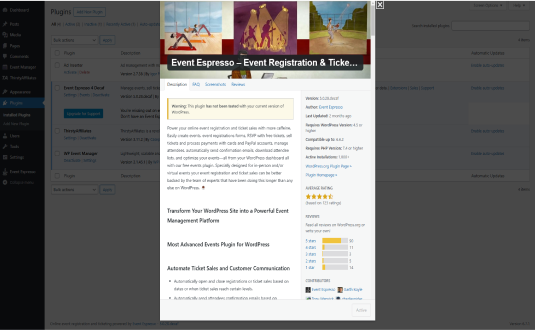
- Pass: Actively maintained Last updated 2 months ago (version 5.0.59.decaf).
- Pass: Compatible with current WordPress Tested up to WordPress 7.1; the current release is 7.1. Needs PHP 7.4+.
- Pass: Well rated Rated 4.4/5 by 136 users on WordPress.org.
- Note: Small user base Active on 500+ sites.
Check every plugin on your site with the free WordPress plugin checker →
Based on WordPress.org data, checked Nov 19, 2026. Always keep plugins updated and test changes on a staging site.
Event Espresso is a comprehensive WordPress plugin designed to streamline and automate event registration and ticketing. Targeted at event organizers, businesses, non-profits, and institutions, Event Espresso offers a robust set of features that enable users to create, manage, and promote events directly from their WordPress dashboard. Its unique focus on advanced ticketing and registration options has made it popular among those who frequently organize paid events, such as conferences, workshops, fundraisers, and classes. Here’s a deep dive into Event Espresso, its standout features, benefits, and how it can serve various types of users.
Overview and Purpose
Event Espresso provides a full-service event management solution for WordPress websites, handling everything from ticket sales to attendee management. It is designed to simplify event registration for both online and in-person events. Unlike basic event plugins, Event Espresso includes options for detailed event registration, multiple ticket types, payment processing, and custom registration forms, making it an ideal choice for organizers who require a high level of customization and control over event management.
Key Features
- Advanced Ticketing and Pricing Options: Event Espresso is particularly known for its robust ticketing system, which allows users to create multiple ticket types with different price points. Event organizers can set pricing tiers, offer early bird discounts, limit the number of tickets available per category, and create promotional codes, all within the plugin. This feature is ideal for events with complex ticketing needs, such as conferences with VIP options or workshops with group discounts.
- Customizable Registration Forms: The plugin allows users to create custom registration forms with fields that match their event’s needs. For example, organizers can ask attendees to provide dietary preferences, shirt sizes, or other specific information. This flexibility is especially useful for conferences and workshops, where organizers need to collect various details to plan effectively.
- Automated Email Notifications and Reminders: Event Espresso includes a powerful email automation system, allowing organizers to set up custom email confirmations and reminders for attendees. Users can configure emails for event confirmation, payment receipt, event updates, and pre-event reminders, enhancing attendee engagement and reducing no-shows.
- Built-in Payment Processing: Event Espresso integrates with a wide variety of payment gateways, including PayPal, Stripe, Authorize.Net, and more, allowing attendees to pay for tickets directly on the website. By offering multiple payment options, organizers can improve the payment experience for users around the world, which can lead to higher conversions.
- Seating and Capacity Management: For events with limited capacity, Event Espresso offers a seating and capacity management feature that lets organizers limit ticket sales based on available seats. This feature is essential for in-person events, where organizers must ensure that they do not exceed venue capacity, as well as for virtual events, where seats might be limited to maintain quality.
- Calendar and List Views: Event Espresso provides multiple ways to display events on a website, including calendar, list, and grid views. These views allow visitors to easily browse and find events, enhancing user experience. Site owners can customize the look and feel of event listings to match their site’s design, ensuring seamless integration with their WordPress theme.
- Multiple Attendee Registration: For events where attendees can bring guests, Event Espresso allows for group registration. Users can register multiple attendees in a single transaction, simplifying the process for families or organizations purchasing multiple tickets. Organizers can set individual attendee details for each ticket or apply the same details to all.
- Recurring Events: For organizations that host regular events, Event Espresso offers a recurring events feature (available through an add-on). This feature automates the creation of repeated events, such as weekly classes, monthly meetings, or annual conferences, saving time and reducing the likelihood of errors.
- Mobile Ticket Scanning and Check-in: Event Espresso includes a mobile ticket scanning feature that uses a smartphone app to scan QR codes on tickets at the event entrance. This functionality allows for quick check-ins, helps manage large crowds, and provides real-time attendance tracking. Organizers can easily see who has checked in and how many people are still expected, which is valuable for managing event flow.
- Detailed Reporting and Analytics: The plugin provides a range of reports to help organizers track ticket sales, revenue, and attendance. Users can view data on a per-event basis or get an overview across all events. These analytics help organizers make data-driven decisions, optimize ticketing strategies, and improve future events based on past performance.
- Developer-Friendly Customization: Event Espresso offers an extensive set of hooks, filters, and shortcodes, allowing developers to customize its functionality. This flexibility is particularly useful for users who need custom integrations or specific features that the plugin doesn’t include by default.
- Event and Ticket Customization: The plugin allows users to customize ticket designs and personalize event pages, making each event page unique. This feature ensures that branding is consistent across all materials, which is important for organizations that rely on a cohesive brand identity.
Versions: Free vs. Premium
Event Espresso offers a basic free version, Event Espresso Decaf, which includes core features like basic event registration and calendar display. However, for users who need advanced features like ticketing, custom forms, and multiple payment gateways, the premium version of Event Espresso is recommended. The premium version offers a range of additional features, including access to all official add-ons.
The premium version is available at several pricing tiers, each providing a different set of features and add-ons, which makes it suitable for organizations of varying sizes and budgets.
Add-Ons for Enhanced Functionality
Event Espresso offers numerous add-ons to extend the plugin’s capabilities. Some popular add-ons include:
- Recurring Events: Enables the creation of automated, repeat events.
- Ticketing and QR Code Scanning: Allows mobile check-in via QR code scanning for easy attendee management.
- Promotions and Discount Codes: Provides a system for offering discount codes and promotional pricing.
- Waitlist Management: Allows attendees to join a waitlist for sold-out events, which is helpful for events with high demand.
- Stripe Payment Gateway: Adds Stripe as a payment processor for increased flexibility.
Benefits for Different Users
- For Large Events and Conferences: Event Espresso’s advanced ticketing, custom registration forms, and mobile check-in capabilities make it well-suited for large events and conferences. Organizers can easily manage multiple ticket types, track attendees in real-time, and streamline check-in, improving the overall event experience for attendees.
- For Educational Institutions and Training Centers: Event Espresso is an excellent solution for schools, colleges, and training centers that host classes, workshops, and seminars. The customizable registration forms are perfect for gathering detailed student information, while the recurring events feature saves time for events that happen on a regular schedule.
- For Nonprofits and Community Organizations: Nonprofit organizations often need to handle complex ticketing scenarios, like offering discounts for members or allowing group registrations. Event Espresso’s flexible pricing options and discount code features allow nonprofits to create affordable pricing tiers, making it accessible to a broader audience.
- For Event Management Companies: Event Espresso is ideal for companies that organize multiple events across different clients or locations. The plugin’s flexibility, customizable features, and mobile ticket scanning capabilities allow event management firms to handle registrations and attendance efficiently, making it easier to deliver quality service to clients.
- For Small Businesses Hosting Events: Small businesses that offer workshops or classes can benefit from Event Espresso’s automated reminders, group registration, and easy-to-navigate payment options. This allows them to increase attendance, reduce no-shows, and manage their events seamlessly from the WordPress dashboard.
Potential Drawbacks
While Event Espresso is a powerful plugin, it has a few limitations:
- Complexity and Learning Curve: Due to its extensive feature set, new users may find the plugin’s setup and configuration process somewhat complex, especially if they are not familiar with event management software.
- Cost of Premium Version: The free version, Event Espresso Decaf, is limited in functionality, and many of the advanced features require the premium version and additional add-ons, which may be costly for smaller businesses or individual users.
- Limited Visual Customization Options: The default design of event pages may not suit all users, and customizing it to match specific branding might require additional CSS or developer assistance.
- Dependency on Add-Ons: Some essential features, like recurring events and waitlists, are only available through paid add-ons, which may feel restrictive to users who expect these features to be included in the base plugin.
Best Practices for Using Event Espresso
- Define Ticket Types and Pricing in Advance: Set up different ticket tiers, early bird pricing, and discount codes to maximize ticket sales.
- Use Custom Registration Forms: Collect important information with custom forms to improve event planning and attendee engagement.
- Leverage Automated Reminders: Use email reminders to keep attendees engaged and reduce last-minute cancellations.
- Analyze Event Data for Optimization: Review event analytics to understand trends and optimize future events for better outcomes.
Conclusion
Event Espresso is a comprehensive event registration and ticketing plugin for WordPress that offers unmatched flexibility and control for event organizers. From ticketing and registration to payment processing and attendee check-in, Event Espresso covers every aspect of event management. Its suite of advanced features makes it suitable for a wide variety of use cases, from small workshops to large-scale conferences, and it’s especially valuable for users who require sophisticated ticketing and registration capabilities.
Although the premium version and add-ons come at a cost, Event Espresso’s robust functionality, ease of integration, and customization options make it a worthwhile investment for serious event organizers. With its reliable event management tools, Event Espresso allows organizations to manage events more efficiently, improve attendee experience, and maximize revenue potential directly from their WordPress websites.
Downloads & growth
How often Event Espresso is downloaded from WordPress.org each day, over the last 90 days.
Source: WordPress.org download statistics. Downloads include updates on existing sites, so tall spikes usually mark a new release. See what's trending →
How to install Event Espresso
- Open the plugin installer. In your WordPress dashboard go to Plugins → Add New Plugin.
- Search for it. Type “Event Espresso” and pick the one by Event Espresso.
- Install and activate. Click Install Now, then Activate.
Install with a zip file or WP-CLI
Download the zip from the WordPress.org plugin page, then go to Plugins → Add New Plugin → Upload Plugin, choose the file and click Install Now. Or from the command line:
wp plugin install event-espresso-decaf --activateRequirements: WordPress 4.5+ · PHP 7.4+ · tested up to WordPress 7.1.5
Hooks & customisation
Event Espresso 5.0.59.decaf fires 413 actions and 972 filters. Use them from your child theme or a snippets plugin to change how it behaves without editing its files.
// This filter/option allows users to override processing of messages on separate…
apply_filters( 'FHEE__EE_Messages_Processor__initiate_request_by_priority__do_immediate_processing', false );

// Called just after trashing (soft delete) or restoring a trashed item.
do_action( 'AHEE__EE_Soft_Delete_Base_Class__delete_or_restore__after', $this, $delete, $result );

// Filters what initial content will be added to the file.
apply_filters( 'FHEE__EE_CSV__begin_sending_csv__start_writing', $bom, $filename, $filetype, $filepath );

// For displaying the migration options when the old version was an EE4.x version…
apply_filters( 'FHEE__ee_migration_page__option_1_main', … );

// Filter to change the contents of each row of the registrations report CSV file…
apply_filters( 'FHEE__EventEspressoBatchRequest__JobHandlers__RegistrationsReport__reg_csv_array', $reg_csv_array, $reg_row );

// Allow injecting actions before the query_args are modified for possible differ…
do_action( "AHEE__{$this->class_name}___redirect_after_action__before_redirect_modification_{$this->_req_action}", $query_args );Event Espresso: frequently asked questions
Is Event Espresso free?
Yes. Event Espresso is free to download from the official WordPress.org plugin directory and is licensed under the GPL, so you can use it on as many sites as you like. Some developers sell a separate Pro version or paid add-ons; check the developer's website for details.
Is Event Espresso safe to use?
Event Espresso is actively maintained: the latest version was released 2 months ago. Users rate it 4.4 out of 5 from 136 reviews on WordPress.org. As with any plugin, keep it updated and only install it from WordPress.org or the developer.
Does Event Espresso work with WordPress 7.1?
Yes. Event Espresso is tested up to WordPress 7.1, the current release. It requires WordPress 4.5 or later and PHP 7.4 or later.
How many websites use Event Espresso?
Event Espresso is active on 500+ WordPress sites, according to WordPress.org. It is currently at version 5.0.59.decaf, last updated on September 11, 2026.
What are the best alternatives to Event Espresso?
Plugins that do a similar job and are actively maintained include Tickera (2,000+ installs), Events Manager (60,000+ installs), Ticket Tailor (4,000+ installs).
Can I customise Event Espresso without editing its code?
Yes. Event Espresso 5.0.59.decaf fires 413 actions and 972 filters that you can use from a child theme or a code snippets plugin, so your changes survive plugin updates. Browse all 1385 hooks with examples.
Done for you
Need Event Espresso to do more?
Clear starting prices, an exact quote before any work, and changes built so plugin updates never wipe them.
Plugin customisation
from $149
New features or changed behaviour, without editing the plugin’s files.
- Built as a companion plugin, so updates never wipe it
- Exact quote before we start
- Tested on staging, then deployed
Typical turnaround: 3–7 business days
Choose thisCustom hook snippet
from $49
A small, update-safe change built on the plugin’s own hooks.
- Code written against the plugin’s actions and filters
- Tested on a staging copy of your site
- Install instructions included
Typical turnaround: 2–3 business days
Choose thisBug or conflict fix
from $79
Errors, broken layouts or two plugins that don’t get along.
- Find the cause on a staging copy
- Fix without breaking updates
- Explain what was wrong
Typical turnaround: 1–3 business days
Choose thisNot sure which fits? Describe what you need and we’ll suggest the simplest option.
Need Event Espresso customised?
Tell us what you want changed, added or fixed and we'll reply with an estimate.
WP EXPERTS is independent and not affiliated with Event Espresso. Plugin names and logos belong to their owners. Version, rating and install figures from WordPress.org, checked Nov 19, 2026.