
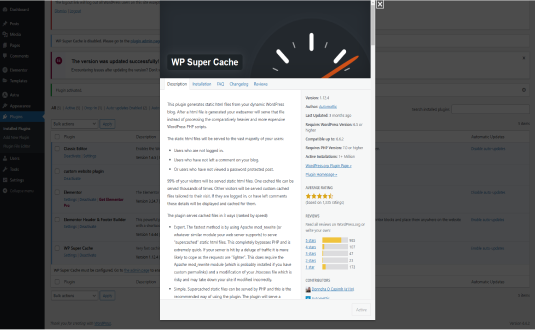
WP Super Cache: An In-Depth Overview
WordPress is one of the most popular content management systems (CMS) globally, powering millions of websites. One of the challenges that WordPress users often face is site performance, particularly in terms of speed and scalability. This is where caching plugins like WP Super Cache come into play, helping to enhance the performance of WordPress sites significantly.
What is WP Super Cache?
WP Super Cache is a popular caching plugin for WordPress developed by Automattic, the company behind WordPress itself. The primary function of this plugin is to generate static HTML files from your dynamic WordPress site, which can then be served to users instead of querying the database for every page load. This reduces server load and improves the loading speed of your website, leading to a better user experience.
How Caching Works
To understand WP Super Cache, it’s essential to grasp the concept of caching. When a user visits a WordPress site, the server processes various PHP scripts, queries the database, and dynamically generates the HTML content for that page. This process can be time-consuming, especially for sites with heavy traffic or complex queries.
Caching plugins like WP Super Cache solve this problem by creating static versions of your pages. Once a page is cached, subsequent visitors can access this static file rather than going through the full processing cycle. This significantly reduces the time it takes to load the page and decreases the load on the server.
Key Features of WP Super Cache
- Easy Installation and Configuration: WP Super Cache is straightforward to install, requiring minimal setup. Users can enable caching with just a few clicks.
- Three Caching Modes: The plugin offers three caching modes:
- Simple: This is the recommended mode for most users. It uses mod_rewrite to serve static files.
- Expert: Suitable for advanced users who want more control and optimization options.
- Legacy: This mode is for those who need backward compatibility with older server configurations.
- CDN Support: WP Super Cache can easily integrate with Content Delivery Networks (CDNs), which help deliver your static content quickly to users around the world, further improving load times.
- Garbage Collection: The plugin automatically clears old cached files, ensuring that users always see the most up-to-date content.
- Cache Preloading: WP Super Cache can preload the cache for your site, generating static files for all posts and pages in advance. This ensures that the first visitor to a new post won’t experience delays.
- Mobile Device Support: The plugin can create separate caches for mobile users, ensuring that they receive optimized content tailored to their devices.
- Advanced Caching Options: For experienced users, WP Super Cache provides options to customize cache expiration times, compression settings, and more.
Benefits of Using WP Super Cache
- Improved Site Speed: The primary advantage of using WP Super Cache is the significant boost in page load speed. Faster-loading pages enhance user experience, reduce bounce rates, and can lead to higher conversion rates.
- Reduced Server Load: By serving cached files, WP Super Cache reduces the workload on your server, which is especially beneficial during traffic spikes.
- SEO Benefits: Page speed is a critical factor in search engine ranking algorithms. Websites that load quickly tend to rank better on search engines, making WP Super Cache a valuable tool for improving SEO.
- User Experience: A faster site translates to better user experience. Visitors are more likely to engage with and return to a site that loads quickly and smoothly.
Common Use Cases
WP Super Cache is ideal for various types of websites, including:
- Blogs: Bloggers who regularly publish content can benefit from caching, especially when they experience spikes in traffic after new posts.
- E-commerce Sites: Online stores with many products and high traffic volumes can improve load times for product pages, enhancing the shopping experience.
- News Sites: Websites that feature a lot of content updates can use caching to ensure that news articles load quickly for readers.
Conclusion
In the world of WordPress, performance is key. WP Super Cache is a powerful tool that helps website owners improve their site’s speed and efficiency through effective caching techniques. With its easy setup, advanced features, and significant benefits, it is a must-have plugin for anyone looking to optimize their WordPress site.
By reducing server load, improving page speed, and enhancing the overall user experience, WP Super Cache stands out as an essential plugin for bloggers, businesses, and anyone who values performance in their online presence. Whether you are running a personal blog or a large e-commerce platform, investing in a caching solution like WP Super Cache can yield significant returns in terms of user satisfaction and search engine rankings.
if you need any assistance or help about the plugin or about anything about wordpress in general , then please do contact us at this link https://wpexperts.in/contact-us/
How to install WP Super Cache
- Open the plugin installer. In your WordPress dashboard go to Plugins → Add New Plugin.
- Search for it. Type “WP Super Cache” and pick the one by Automattic.
- Install and activate. Click Install Now, then Activate.
Install with a zip file or WP-CLI
Download the zip from the WordPress.org plugin page, then go to Plugins → Add New Plugin → Upload Plugin, choose the file and click Install Now. Or from the command line:
wp plugin install wp-super-cache --activateRequirements: WordPress 6.8+ · PHP 7.4+ · tested up to WordPress 7.1.4
Hooks & customisation
WP Super Cache 3.1.5 fires 6 actions and 36 filters. Use them from your child theme or a snippets plugin to change how it behaves without editing its files.
// Hook into the cache deletion process after a successful cache deletion from th…
do_action( 'wpsc_after_delete_cache_admin_bar', $req_path, $referer );

// Filters whether to disable caching when wp_die() is invoked.
apply_filters( 'wpsc_disable_cache_on_wp_die', true );

// Action in wp-cache-phase2.php
do_action( 'gc_cache', 'prune', $permalink );

// Action in inc/cache-files.php
do_action( 'wp_cache_cleared' );

// Filter in inc/preload.php
apply_filters( 'wp_cache_preload_taxonomies', array( 'post_tag' => 'tag', 'category' => 'category', ) );

// Filter in wp-cache-phase2.php
apply_filters( 'wp_super_cache_clear_post_cache', true, $post );Need WP Super Cache customised?
Tell us what you want changed, added or fixed and we'll reply with an estimate.
WP EXPERTS is independent and not affiliated with Automattic. Plugin names and logos belong to their owners. Version, rating and install figures from WordPress.org, checked Nov 17, 2026.



